





Townscaper
FPS Commando Shooting Games

Papa's Cluckeria To Go!
War Robots Multiplayer Battles
Bullet Stack
Traffic Run!: Driving Game
Rusted Warfare - RTS Strategy

Cat Snack Bar : Cat Food Games
Horror Toilet Mods Minecraft

Fate/Grand Order
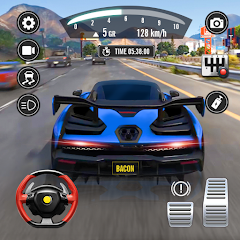
Traffic Driving Car Simulator
Game Pickle
Updated
Oct 15, 2026
Category
Racing
Installs
10M+
Rating
Updated
Oct 15, 2026
Category
Racing
Developer
Game Pickle
Installs
10M+
Rating
Game Screenshots
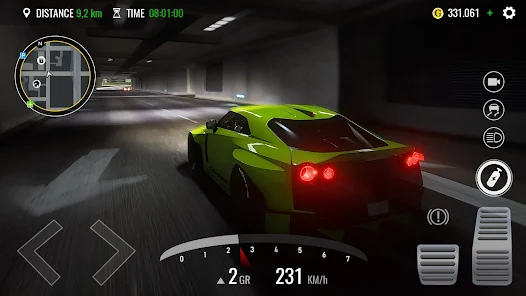
Game Overview
Highway Driving Freedom
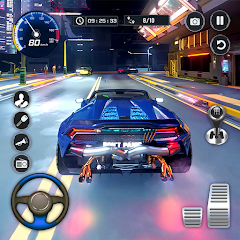
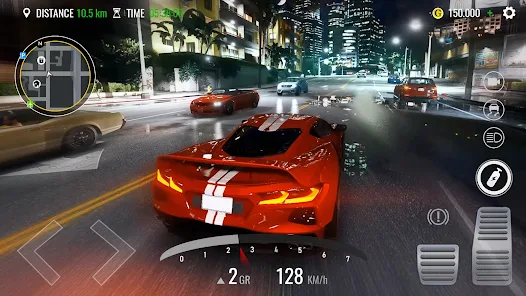
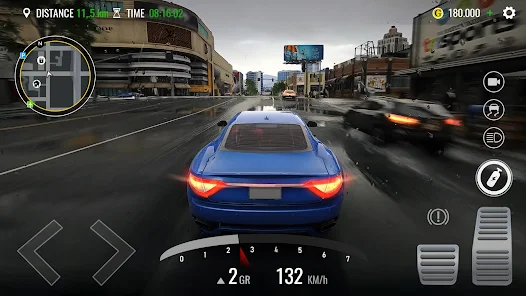
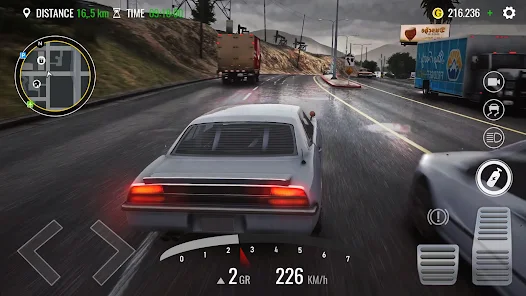
Traffic Driving Car Simulator is a realistic yet accessible driving experience where you take control of a car and navigate through busy highways, city streets, and endless traffic lanes 🚗. Dodge vehicles, maintain speed, and enjoy the thrill of smooth, immersive driving in a living traffic world. Simple controls, realistic flow, and pure driving focus make every ride feel dynamic and engaging.
Real Traffic, Real Challenge
Every road is alive with moving cars, buses, and trucks that behave like real traffic 🚦. You’ll need quick reflexes to change lanes, avoid collisions, and find gaps in dense traffic. The further you drive without crashing, the more intense and rewarding the experience becomes.
Upgrade, Unlock, and Drive Better Cars
Earn rewards as you complete runs and unlock a variety of vehicles with different speed, handling, and braking performance 🚘. Upgrade your favorite cars to improve stability in heavy traffic and push for longer, smoother rides. Each vehicle changes how you experience the road.
Endless Driving, Pure Relaxation
No strict rules, no pressure—just endless highway driving with a satisfying rhythm 🌆. Whether you’re chasing high scores, practicing precision overtakes, or simply cruising through traffic, every session delivers a relaxing yet exciting driving flow.
How to Get Started
Step 1: Basic Gameplay
Step 2: Start by launching Traffic Driving Car Simulator and selecting your car. Once you enter the road, your main goal is to drive through busy traffic, avoid crashes, and travel as far as possible while earning rewards 🚗. Use simple controls to steer, accelerate, and brake as you navigate through highways and city streets.
Step 3: Choose Your Car
Step 4: From the main menu, select your starting vehicle. Each car has different stats like speed, handling, and braking. As you progress, you’ll unlock better cars for smoother and faster driving.
Step 5: Learn the Controls
Step 6: Use on-screen buttons or tilt controls to drive. Tap the gas pedal to accelerate, the brake to slow down, and steer left or right to change lanes. Smooth control is key to surviving heavy traffic 🚦.
Step 7: Drive Through Traffic
Step 8: Enter the highway and start driving through flowing traffic. Watch for cars, buses, and trucks ahead. Change lanes carefully and find safe gaps to continue moving without crashing.
Step 9: Avoid Collisions
Step 10: Stay alert at all times—vehicles may suddenly change lanes or slow down. Maintain a safe distance and avoid risky overtakes to keep your run going longer and safer ⚠️.
Step 11: Earn Rewards and Distance
Step 12: The farther you drive without crashing, the more coins and points you earn. High-speed driving and clean overtakes give extra rewards, helping you progress faster.
Step 13: Upgrade and Unlock Cars
Step 14: Use earned coins to unlock new vehicles and upgrade performance. Improve speed, handling, and braking to make it easier to survive dense traffic and achieve longer drives 🚘.
Download App
More Games to Play