






Townscaper
FPS Commando Shooting Games

Papa's Cluckeria To Go!

War Robots Multiplayer Battles

Bullet Stack

Traffic Run!: Driving Game

Rusted Warfare - RTS Strategy

Cat Snack Bar : Cat Food Games

Horror Toilet Mods Minecraft

Fate/Grand Order
Talking Tom Cat
Outfit7 Limited
Updated
Oct 15, 2026
Category
Casual
Installs
10M+
Rating
Updated
Oct 15, 2026
Category
Casual
Developer
Outfit7 Limited
Installs
10M+
Rating
Game Screenshots


Game Overview
A Playful Virtual Pet 😺
Talking Tom Cat is a fun virtual pet game starring a curious gray cat who repeats everything you say in a hilarious voice and reacts to every tap. It's lighthearted, entertaining, and perfect for a quick laugh or a relaxing break.
Hilarious Voice Mimicry 🎤
Talk to Tom and he'll echo your words with a funny twist, whether you're giving a dramatic speech or whispering quietly. Kids and adults alike can create amusing recordings and share their favorite moments with friends.
An Interactive Cartoon Companion 🎮
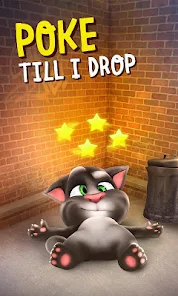
Tap Tom's belly, pet his head, or tug on his tail to trigger different reactions and playful animations. Simple touch controls transform your screen into a lively cartoon playground filled with goofy expressions and unexpected surprises.
Feed, Play, and Have Fun 🥛🍗
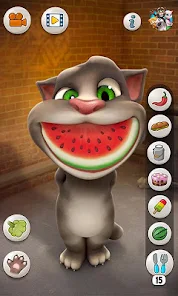
Give Tom milk, snacks, and tasty treats to see his funny responses, from happy purrs to exaggerated burps. Combined with expressive animations, charming gestures, and lively facial expressions, every interaction feels like spending time with a mischievous but lovable friend.
How to Get Started
Step 1: Getting Started 🐾
Step 2: Launch the game, meet Tom in his cozy room, and allow microphone access so he can hear and repeat what you say. Most interactions use simple taps, swipes, and holds, making the game easy for players of all ages to enjoy.
Step 3: Talk to Tom 🎙️
Step 4: Speak clearly into your device and wait a moment. Tom will repeat everything you say in his signature funny, high-pitched voice.
Step 5: Pet and Tap 😹
Step 6: Tap or gently swipe Tom's head, belly, or feet to see different reactions. Each spot triggers unique animations, from happy purrs to funny yelps.
Step 7: Try Different Gestures 👆
Step 8: Pull Tom's tail or swipe across his body to unlock even more playful animations. Experiment with different touches to discover hidden reactions.
Step 9: Feed Tom Treats 🥛
Step 10: Tap the food or drink icons, then feed them to Tom with another tap. Watch his hilarious facial expressions and listen to his amusing eating sounds.
Step 11: Record Funny Moments 📹
Step 12: Press the video or camera button to start recording, then chat and play with Tom. When you're finished, save the clip or share it with friends for an extra laugh.
Step 13: Customize the Experience ⚙️
Step 14: Open the settings menu to adjust sound, music, and notifications. Parents can also review the available options to create a safe and comfortable play experience.
Download App
More Games to Play