




Townscaper
FPS Commando Shooting Games

Papa's Cluckeria To Go!
War Robots Multiplayer Battles
Bullet Stack

Traffic Run!: Driving Game
Rusted Warfare - RTS Strategy

Cat Snack Bar : Cat Food Games
Horror Toilet Mods Minecraft

Fate/Grand Order
Offroad Outlaws
Battle Creek Games
Updated
Oct 15, 2026
Category
Racing
Installs
10M+
Rating
Updated
Oct 15, 2026
Category
Racing
Developer
Battle Creek Games
Installs
10M+
Rating
Game Screenshots
Game Overview
Off-Road Open World Adventure
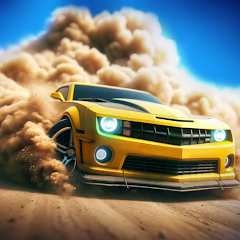
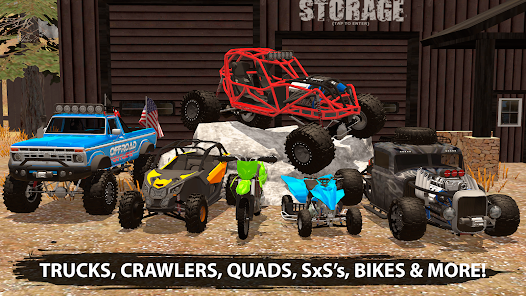
Offroad Outlaws is a rugged driving experience where trucks, buggies, and crawlers tear through extreme terrain 🌵. Explore massive open maps, crawl over rocks, splash through mud, and speed across dunes while constantly upgrading your ride for tougher challenges.
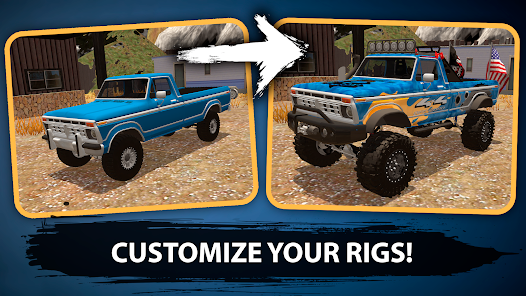
In-Depth Vehicle Customization
Fine-tune nearly every part of your vehicle, from suspension lifts and shocks to tires and gearing 🔧. Customize paint, wraps, and lighting setups so every build feels unique, turning your garage into a full off-road tuning workshop.
Realistic Physics & Vehicle Damage
Every vehicle reacts realistically to terrain—bouncing, flexing, and sinking into mud with weighty physics 💥. Push too hard against rocks or uneven ground and you’ll see damage that forces repairs and smarter driving decisions on tough trails.
Solo Exploration & Multiplayer Chaos
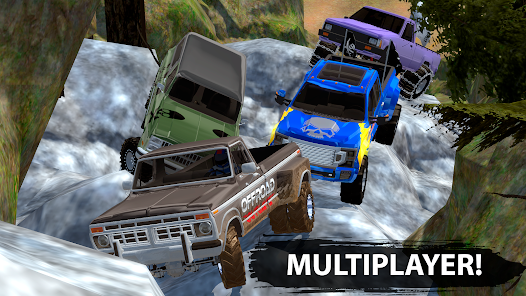
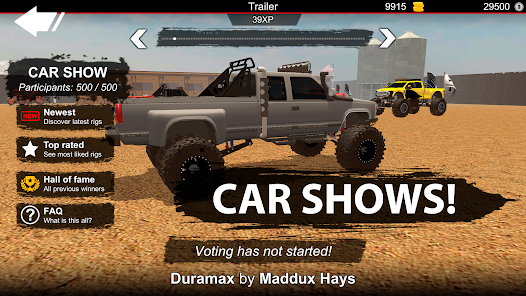
Drive freely in open-world mode or team up with friends online to race, tow, or just mess around 😎. Take on trail routes, complete challenges, and test custom builds in dynamic off-road environments built for experimentation and fun.
How to Get Started
Step 1: Basic Gameplay Flow
Step 2: Start with a simple off-road truck and an empty garage. Earn cash and gold by completing trails, races, and driving challenges, then invest in upgrades to take on harder terrain and more demanding maps 🚙💨
Step 3: Pick Your First Truck
Step 4: Head into the garage and choose a starter vehicle such as a crawler, trail rig, or speed-focused build. Purchase it, then name your truck so you can track your progress.
Step 5: Learn Upgrades & Tuning
Step 6: Open the upgrade menu to modify key parts like engine, suspension, tires, and drivetrain ⚙️. Early progress is best made by improving grip and suspension before spending heavily on power upgrades.
Step 7: Set Up Controls & Camera
Step 8: Go to settings to select tilt or button steering and adjust sensitivity for smoother handling. While driving, switch between chase, hood, or interior cameras to match your preference.
Step 9: Explore Singleplayer Maps
Step 10: Enter singleplayer mode and pick environments like deserts, forests, or rocky trails. Drive freely to learn terrain behavior—mud, rocks, water, and slopes all affect traction differently.
Step 11: Play Multiplayer Modes
Step 12: Join or host multiplayer rooms 🌐 to race, explore trails, or compete in challenges with others. Use coordination and observation to improve racing lines and overall performance.
Step 13: Earn, Upgrade, Repeat
Step 14: Complete events to earn rewards, then return to the garage to refine your build. Adjust suspension, tire pressure, and gear ratios, test changes on different terrain, and steadily build a stronger off-road machine 🚙
Download App
More Games to Play