



Townscaper
FPS Commando Shooting Games
Papa's Cluckeria To Go!
War Robots Multiplayer Battles
Bullet Stack
Traffic Run!: Driving Game
Rusted Warfare - RTS Strategy

Cat Snack Bar : Cat Food Games
Horror Toilet Mods Minecraft

Fate/Grand Order
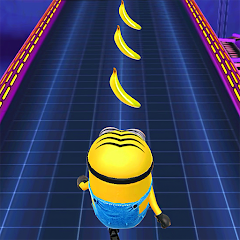
Minion Rush: Running Game
Gameloft SE
Updated
Oct 15, 2026
Category
Arcade
Installs
10M+
Rating
Updated
Oct 15, 2026
Category
Arcade
Developer
Gameloft SE
Installs
10M+
Rating
Game Screenshots
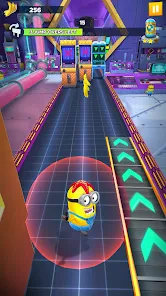
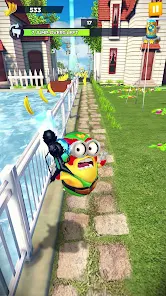
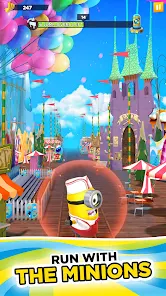
Game Overview
Crazy Minion Adventure
A fast-paced endless runner set in the world of Despicable Me 🤪. Dash through chaotic movie-inspired locations as the mischievous Minions, dodging traps, rockets, and ridiculous obstacles while chasing piles of bananas.
Missions, Stories & Events
Take on cinematic story stages, seasonal events, and daily challenges 🎯. Unlock new zones, meet familiar characters from the franchise, and enjoy mini-missions that keep every run feeling different instead of repetitive.
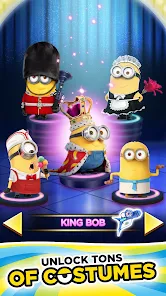
Costumes & Power-Ups
Collect outfits that come with unique perks, such as extra shields, bonus bananas, or stronger boosts 👕⚡. Mix and match costumes and gadgets to fit your playstyle—whether you focus on high scores, fast runs, or completing missions.
Colorful, Family-Friendly Fun
Bright visuals, slapstick humor, and playful animations bring the Minions’ world to life 😆. Simple controls and short gameplay sessions make it ideal for quick breaks, younger players, or anyone looking for light, casual arcade fun.
How to Get Started
Step 1: Basic Idea
Step 2: Swipe to run, dodge, and jump while collecting bananas and completing missions 💨. The longer you run, the faster the pace becomes, so focus on survival while grabbing as many rewards as possible.
Step 3: Start a Run
Step 4: Open the game and tap the large Play/Run button on the main screen ▶️. After a short loading sequence, your Minion will begin running automatically.
Step 5: Learn the Controls
Step 6: Swipe left or right to switch lanes, swipe up to jump over gaps, and swipe down to slide under obstacles 🙌. Practice a few easy runs first to get comfortable with the timing and increasing speed.
Step 7: Collect Bananas & Tokens
Step 8: Pick up bananas along the path in each lane—they’re used to upgrade power-ups and unlock new items 🍌. Grab special tokens or event items whenever they appear to progress faster through missions.
Step 9: Use Power-Ups Wisely
Step 10: Run through power-up icons such as magnets, rockets, or shields to activate them 🛡️. Save stronger boosts for dense obstacle sections or high-speed moments where mistakes are more likely.
Step 11: Equip Costumes & Upgrades
Step 12: From the home menu, open the Costumes or Shop section 👗. Select outfits that match your goals, then spend bananas or tokens to upgrade abilities and improve performance.
Step 13: Complete Missions & Events
Step 14: Check the mission list before each run to understand your objectives (distance, bananas, tricks, and more) 📋. Participate in limited-time events through the event menu to earn rare rewards and unlock new outfits.
Download App
More Games to Play