





Townscaper
FPS Commando Shooting Games

Papa's Cluckeria To Go!

War Robots Multiplayer Battles
Bullet Stack

Traffic Run!: Driving Game
Rusted Warfare - RTS Strategy

Cat Snack Bar : Cat Food Games
Horror Toilet Mods Minecraft

Fate/Grand Order
Avatar World: City Life
Pazu Games
Updated
Oct 15, 2026
Category
Casual
Installs
10M+
Rating
Updated
Oct 15, 2026
Category
Casual
Developer
Pazu Games
Installs
10M+
Rating
Game Screenshots
Game Overview
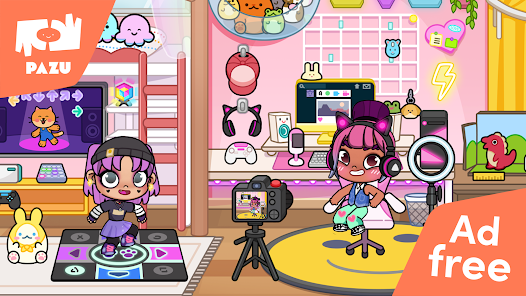
A Colorful World to Explore
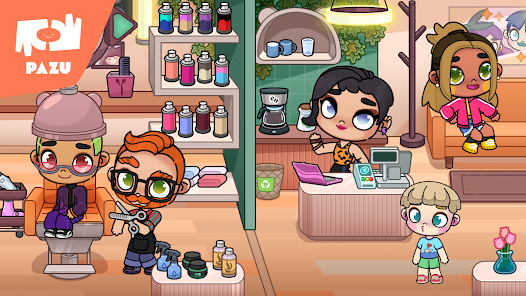
Step into a vibrant mini city filled with homes, shops, schools, parks, and hidden surprises 🌆. Explore every corner, create fun stories, and let imagination turn everyday moments into exciting adventures.
Create Your Perfect Avatar
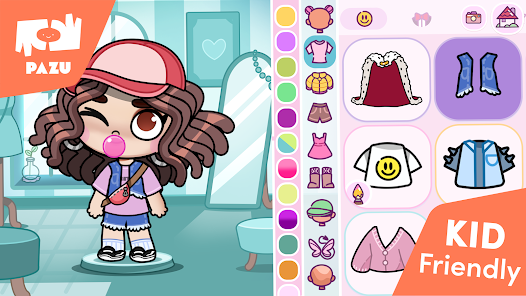
Customize unique characters with a huge collection of outfits, hairstyles, and accessories 👗. Change styles anytime and bring the world to life with friends, family members, pets, and all kinds of imaginative characters.
Everyday Life Comes Alive
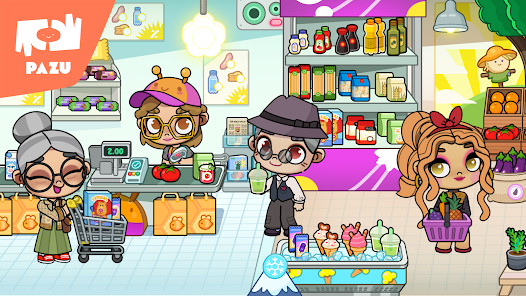
Cook delicious meals, decorate cozy homes, shop for new clothes, visit the hospital, or relax in the park 🛒. Nearly every object can be tapped, moved, or interacted with, revealing fun animations and playful surprises.
Relaxing Roleplay for Kids
Enjoy a stress-free experience with no timers, scores, or competitive challenges 🚫. Simple controls, open-ended gameplay, and kid-friendly content encourage creativity, storytelling, emotional expression, and endless roleplaying fun.
How to Get Started
Step 1: Start Exploring the City
Step 2: Launch the game and tap any building on the map to step inside. Explore different locations, meet colorful characters, and interact with almost everything you see—pick up, move, or combine objects to discover fun surprises 🤩.
Step 3: Create Your Avatar
Step 4: Open the avatar menu to customize a character with different body types, skin tones, facial features, hairstyles, outfits, and accessories. Save multiple avatars to create an entire family, group of friends, or any characters you imagine.
Step 5: Visit Different Locations
Step 6: Use the map or navigation arrows to travel between homes, schools, shops, hospitals, parks, and more. Tap doors, elevators, or vehicles to unlock new places and continue exploring.
Step 7: Move and Use Objects
Step 8: Press and hold any item to drag and drop it wherever you like. Place food on tables, dress characters, organize toys, or store objects inside bags, cabinets, and shopping carts for endless creative play.
Step 9: Customize Characters and Rooms
Step 10: Tap a character to access the wardrobe and switch outfits, shoes, hats, or accessories. Rearrange furniture by dragging it around to redesign rooms and create fresh new spaces whenever inspiration strikes.
Step 11: Create Your Own Stories
Step 12: Bring characters together and assign them different roles, such as teachers and students, doctors and patients, or chefs and customers 🍔. Move them around, give them props, and switch locations to create fun roleplaying adventures.
Step 13: Find Hidden Surprises
Step 14: Tap everything you can find, including drawers, refrigerators, switches, boxes, and posters. Experiment with different combinations to uncover hidden rooms, funny animations, and unexpected items that make every visit feel unique 😄.
Download App
More Games to Play